
Tools & judgment · Essay 111
Consumer technology and gadgets: a practical guide to buying better
The Accidental Salesman Editorial Desk · 11 min read · Published 23 October 2026
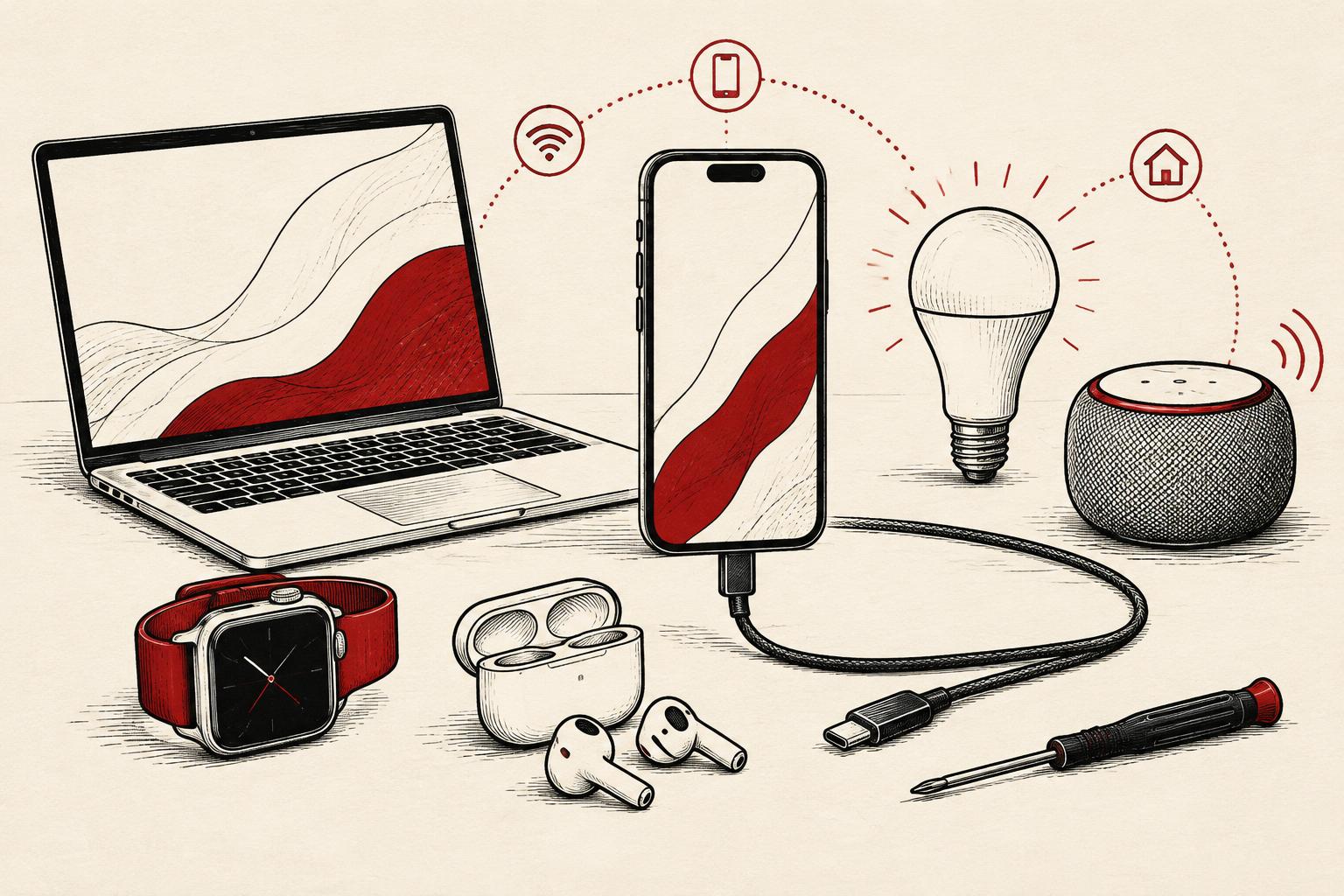
Consumer technology is no longer a collection of separate purchases. A phone is also a camera, wallet, navigation system and authentication device. A watch can become a fitness diary. A speaker can control a room. A laptop can run work, entertainment and increasingly AI-assisted tasks. The opportunity is useful convenience; the risk is buying a chain of accounts, subscriptions and dependencies without noticing it.
The strongest buying question is not “What is the newest gadget?” It is “What recurring problem will this solve, and what will it require from me over its life?” That distinction matters whether you are buying for yourself, advising a customer or selling technology. This guide brings together practical editorial judgment and official sources on interoperability, charging, durability, security and health claims. It is not a laboratory comparison, an affiliate ranking or a report of products we have personally tested.
1. Start with the job, not the specification sheet
A specification is an input, not a benefit. More camera pixels do not automatically produce better photographs of moving children indoors. A faster processor does not fix an unreliable video call if the problem is your connection. A smart display is not useful simply because it has more integrations; it needs to fit a task you actually perform.
Write down three jobs before you shop. For a phone, those might be readable navigation outdoors, reliable calls and photographs in poor light. For a laptop, they might be working with a particular spreadsheet, joining long meetings and carrying it on a commute. For earbuds, they might be intelligible microphone audio, comfortable fit and switching between two devices. These are editorial examples, not tested product outcomes.
Then separate necessities from attractive extras. Set a spending ceiling, identify the software or accessories you cannot replace easily, and decide what would make you return the product. This creates a useful decision boundary before a sales pitch turns an optional feature into an apparent necessity.
2. Smartphones: buy usable life, not just launch-day excitement
Phones are unusually personal purchases because their weaknesses show up dozens of times a day. Battery endurance, screen readability, camera consistency, storage headroom, reception and software support matter together. A thin design or a headline benchmark may be worth less to you than a battery you can replace economically.
Compare the exact model and regional version, not merely the brand. Ask for the published security-update commitment and its starting point: five years from launch is not necessarily five years from your purchase. Check the repair route, expected battery-replacement cost, backup process and whether the phone works with your existing watch, car and accessibility tools.
The European Union’s energy-labelling rules for smartphones and slate tablets, and ecodesign requirements covering specified phones and slate tablets, apply from 20 June 2025 [R16]. The labels make battery endurance, battery cycle life and repairability more visible. These are jurisdiction-specific rules with defined product scopes and exclusions, not a worldwide promise that every device on sale has the same support, repair access or durability. A label can make comparisons more structured; it cannot tell you whether a device feels comfortable or takes the photographs you want.
If your existing phone still receives security updates and performs its essential jobs, a battery service or storage clean-up may be the more sensible purchase. If support has ended, applications no longer work or repairs are uneconomic, replacement becomes easier to justify. Treat that as a case-by-case decision, not a universal replacement schedule.
3. Laptops and tablets: match the system to the work
The first laptop question is software compatibility. Confirm that your essential applications, plug-ins, peripherals and work-security requirements support the operating system and processor architecture. A device that excels in a demonstration can still be the wrong choice if your accounting tool or specialist application does not run properly.
After that, prioritise the experience you will use all day: keyboard, screen, trackpad, webcam, microphone, ports, weight and battery behaviour under your actual workload. Memory and storage need enough headroom for your files and applications, but there is no universally correct capacity for every reader. Check whether those components can be upgraded after purchase.
A tablet can be excellent for reading, sketching, presenting and light administration. Before treating it as a laptop replacement, test the awkward tasks: file transfers, multiple windows, external displays, specialist software and long-form typing. Include the keyboard, stylus, hub and applications in the cost. Portability is valuable only if the complete setup remains convenient.
Refurbished devices can be worth considering, but condition grades are not interchangeable across sellers. Look for a clear warranty, battery-health information, a return policy and a statement that previous account locks have been removed. Do not assume a low purchase price compensates for an unsupported operating system.
4. AI features: demand a specific benefit and a clear boundary
“AI-powered” covers very different capabilities: local transcription, photo editing, cloud-generated answers, search and automation. Ask where a feature runs, what information leaves the device, whether it works offline, whether it needs a paid plan and whether it is available in your language and region. A processor capable of running an AI model does not guarantee that your preferred application will use it.
For summaries, drafts and generated answers, convenience is not verification. Check important names, dates, numbers and instructions against the original material. Do not upload confidential customer information merely because a feature is built into a familiar device. Read the specific service’s retention and training controls rather than assuming the hardware brand answers those questions.
Our editorial test is simple: choose one recurring task, try the feature on non-sensitive material and count the time spent checking and correcting it as well as the time saved. That is a proposed personal evaluation, not evidence that any named product improves productivity. If the feature needs more supervision than the original task, its novelty may exceed its value.
5. Wearables and audio: comfort, context and credible claims
A wearable’s usefulness depends on whether you will actually wear and charge it. Consider fit, skin comfort, screen readability, battery routine, phone compatibility and the subscription needed to see the information you care about. Fitness trends can be useful prompts for conversation, but a consumer measurement is not automatically a medical diagnosis.
Be particularly wary of claims to measure blood glucose without piercing the skin. The US Food and Drug Administration has warned consumers not to use smartwatches or smart rings claiming to do this independently [R18]. That warning distinguishes such claims from watch applications that display readings from an authorised glucose-monitoring device. Do not change medication or other treatment based on an unverified gadget reading; discuss health decisions with a qualified clinician.
For headphones and earbuds, fit and call quality often matter more than a long feature list. Noise cancellation, microphone performance and sound preferences are different questions. Where a return policy permits it, assess comfort and calls in your own setting. Check replacement tips, battery service and whether features advertised for one phone ecosystem remain available on another.
6. Smart homes: compatibility is a chain, not a badge
A connected home can reduce small daily frictions: lights following a routine, remote access to a heating control, or a sensor warning about water where it should not be. It can also create dependence on a cloud service, a hub and a collection of applications. Start with one bounded use case rather than replacing every working switch.
Matter is an interoperability standard developed through the Connectivity Standards Alliance [R15]. Its aim is to make compatible devices work across participating smart-home ecosystems. A Matter logo is not a promise that every feature works in every application, that all older products are supported, or that you need no additional hardware.
Check the exact device type, supported Matter version, chosen controller and connection method. Some devices use Wi-Fi; Thread devices can require a compatible Thread border router in the setup. Matter support and Thread support are related but not identical. Manufacturer-specific functions may still require a separate application.
Ask what happens when the internet fails or the vendor ends its service. Can the light still be switched on manually? Can you change a lock’s battery and regain access without the application? Can household members use the system without sharing one administrator password? Those questions do more for everyday confidence than a wall of compatibility logos.
7. USB-C: the shape of the connector is not the whole specification
USB-C has made charging and connections more convenient, but matching sockets do not guarantee matching capabilities. Power delivery, data transfer and display output are separate properties of a device, cable and charger. USB-IF explains that USB-C cables have different capabilities and that a certified cable cannot increase what the connected products support [R17]. Its USB Power Delivery 3.1 specification allows up to 240 watts with compatible equipment; that is a specification ceiling, not the power every USB-C device accepts.
Before buying a cable or dock, identify the complete job: charging at the required power, transferring large files, driving a particular display or connecting several peripherals at once. Verify that the host port, cable and accessory each support it. A charging cable can be entirely adequate for power yet unsuitable for the fast data transfer you expected.
For travel, consider the total charger output and how it is divided when several devices are connected. Prefer clearly specified accessories from traceable sellers, and follow the device maker’s safety guidance. Do not judge electrical quality solely by appearance, price or a marketplace listing that says “fast”.
8. Privacy and security belong on the buying checklist
Connected devices collect different kinds of information: voice, location, activity, images, usage patterns or account identifiers. Read what is collected, why, whether an account is required and which controls you can change. A bedroom camera and a desk lamp deserve different levels of scrutiny.
A 2024 US Federal Trade Commission staff review illustrates how hard support information can be to find: 161 of the 184 smart products reviewed did not disclose a software-support duration or end date on their product webpages [R19]. That describes the reviewed sample, not every product. The agency advises checking how long updates continue and what a device can do once they stop. Ask for a clear end date rather than treating “regular updates” as a lifetime commitment.
Use unique passwords, enable multi-factor authentication where available, install updates and review household account access. Before resale or recycling, back up what you need, remove accounts and perform the manufacturer’s reset procedure. For a device with sensitive recordings or work information, check the deletion process rather than assuming pressing reset removes every cloud copy.
9. Lifetime cost, repairability and the upgrade decision
The purchase price is only the first line of the bill. Add necessary accessories, subscriptions, extended storage, likely battery service, repairs and any cost of switching platforms. The relevant comparison is the complete setup that performs your job, not the cheapest box on a shelf.
Durability claims deserve the same care as performance claims. Water-resistance ratings describe defined test conditions, not unlimited protection against every spill or repeated exposure. Repairability depends on parts, documentation, local service and price as well as whether a device can technically be opened. Check warranty exclusions and do not assume accidental damage is covered.
As a hypothetical illustration, a device costing £600 and used for four years has an acquisition cost of £150 per year before repairs, subscriptions or resale value. A £400 device used for two years costs £200 per year on that same narrow basis. These are invented arithmetic examples, not observed lifespans or recommended prices; they show why expected service life belongs in the decision.
Avoid buying unnecessary connected products merely because they appear more modern. Keeping a supported, useful device in service can be a sound option. When it genuinely needs replacing, use an appropriate local electronics collection or recycling route rather than putting it in general waste.
10. A practical buying method—and a better way to sell gadgets
Before purchase, write a short decision note: the problem; three essential jobs; your existing ecosystem; the full spending ceiling; required support and repair information; and the conditions that would make you reject the product. Compare a small shortlist against the same questions. If a seller cannot explain a claim, record it as unresolved rather than treating it as a benefit.
During any permitted return window, try the real tasks rather than recreating the showroom demonstration. Make a call, transfer a file, test your essential application, check comfort and confirm the setup works for other household members. Keep packaging and follow the seller’s return terms; policies differ by country, product and retailer.
For sales professionals, the lesson is consultative rather than promotional. Demonstrate the customer’s job, disclose dependencies, explain limitations and distinguish a supported specification from your own recommendation. Do not turn a trend into a guarantee or describe a health feature as a medical capability without a sound regulatory basis.
The best gadget is not necessarily the most advanced. It is the device that delivers a useful job reliably, fits the systems you already depend on and remains affordable and supportable after the excitement of the purchase has passed.
Put it to work
A practical next step
Audit one gadget you already own before replacing it. List the three jobs it must do, the failures you actually experience, its remaining security support, repair options and ongoing costs. Compare keeping or repairing it with two replacement options using the same checklist. Treat the result as a personal buying assessment, not a product-performance experiment.
Proposed practice, not a completed experiment. Illustrations are not client testimony.
Sources & limits
Standards-body description of interoperability, not independent testing. Exact device, controller, connection method and feature support still need checking.
EU energy-labelling and ecodesign rules effective 20 June 2025 have defined product scopes and exclusions. Disclosed indicators do not guarantee individual battery life or repair cost outside or inside the EU.
Specification and certification guidance, not an accessory safety or performance test. Power Delivery 3.1 allows up to 240 W only with compatible equipment; connector shape alone does not establish power, data or video capabilities.
US safety communication about devices claiming to measure glucose independently without piercing skin, not a review of every wearable health feature. Apps displaying data from authorised glucose monitors are a distinct category.
Staff review of 184 products; 161 product webpages lacked support-duration or end-date information. The sample does not establish the prevalence across all products or test their security.
Editorial synthesis published 23 October 2026. Research is linked above; examples and the practical exercise are editorial applications, not reported outcomes.